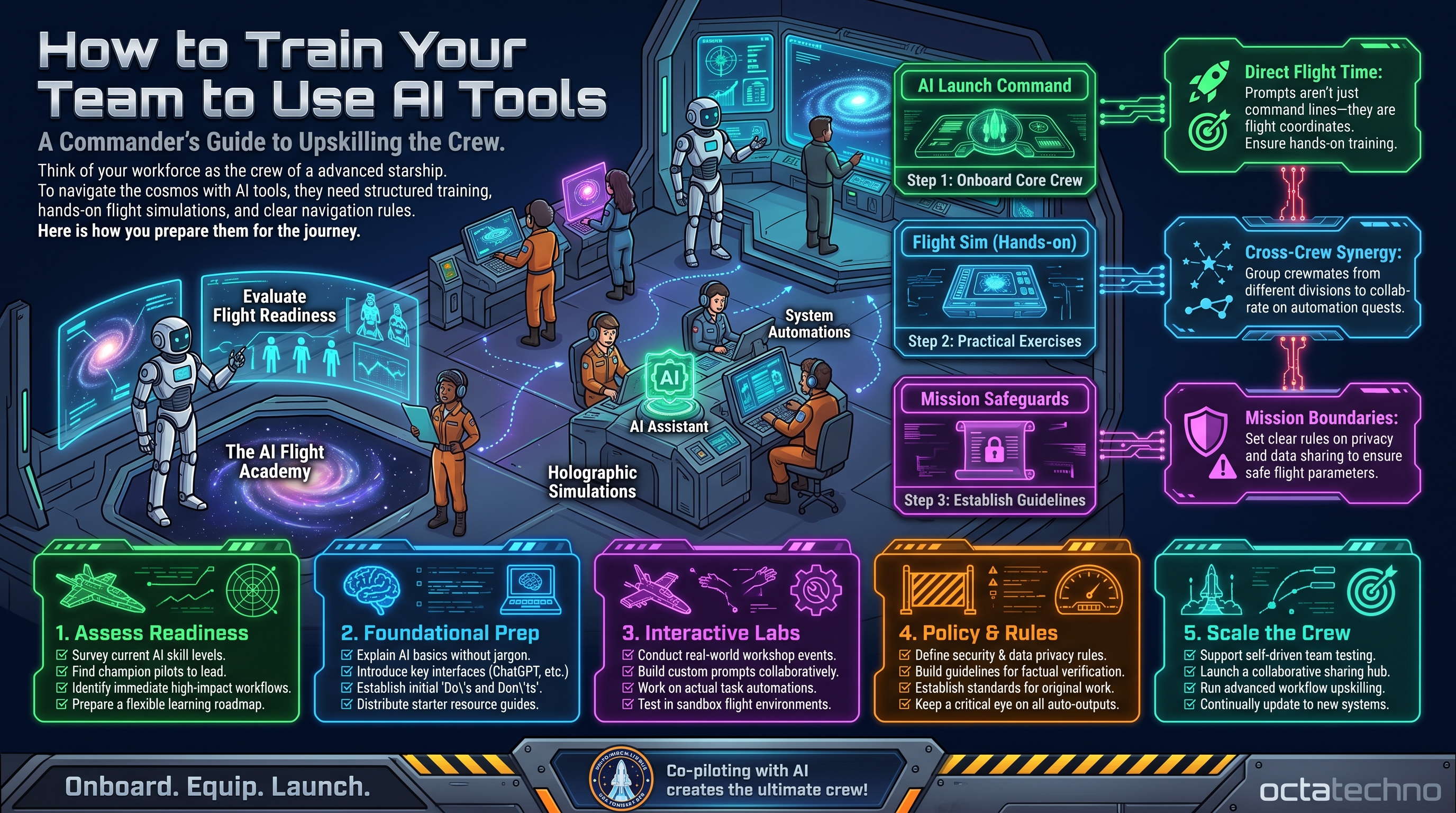
Why AI Tools Collect Dust
Here's a familiar story: leadership buys AI licenses for the whole company, sends a "we now have AI!" email, and six months later usage reports show 12% adoption. The tools weren't the problem. Nobody taught people how to use them, nobody showed them what's possible, and nobody made it safe to experiment.
AI adoption is a training problem disguised as a technology problem. The companies getting real returns treat rollout like a change program, not a software install.
Step 1: Start with Pain, Not Tools
Never open with "here's what the AI can do." Open with "what's eating your week?" Sit with each team for 30 minutes and list their most tedious recurring tasks: the weekly report nobody reads, the inbox triage, the proposal formatting. Then show how AI attacks exactly those pains.
People adopt tools that remove their specific frustrations. Abstract capability demos create polite nods and zero behavior change.
Step 2: Recruit AI Champions
Don't train everyone at once. Find 2–3 curious people per department — the ones already experimenting — and invest in them first. Give them advanced training, early access to new features, and 2 hours weekly to explore.
Champions become the local help desk. When a colleague is stuck, they ask the champion down the hall, not IT. Peer teaching beats top-down training by a wide margin because it comes with credibility and context.
Step 3: Run 60-Minute Hands-On Workshops
Forget slide decks. The format that works:
- 10 minutes: one real example from their actual work (a real report, real inbox, real data).
- 40 minutes: everyone does it themselves on their own tasks, with champions circulating to help.
- 10 minutes: share wins — each person shows one thing they accomplished.
Run these monthly per team for a quarter. Each session should end with every attendee having produced something useful with AI. That feeling of "I just did in 10 minutes what took me 2 hours" is what converts skeptics.
Step 4: Build a Shared Prompt Library
The biggest barrier after training is the blank prompt box. Remove it: create a shared library of proven prompts for common tasks — "summarize this client call," "draft a project status update," "turn these bullets into a proposal section."
Seed it with 15–20 prompts from your champions, then let anyone contribute. Review quarterly, retire what doesn't work, and celebrate the best contributors. A living prompt library compounds in value; a static wiki page dies.
Step 5: Set Guardrails, Not Bans
Nothing kills adoption faster than a 40-page AI policy written by legal. Instead, publish one page:
- Green light: drafting, summarizing, brainstorming, coding assistance, data analysis on non-sensitive data.
- Yellow light: customer-facing content (human review required), internal data (check classification first).
- Red light: pasting customer PII, financials, or trade secrets into public AI tools; sending AI output to clients unreviewed.
Clear boundaries give people confidence to experiment freely within them. Ambiguity makes everyone freeze.
Make It Stick: Reinforcement Beats One-Off Training
A single workshop creates a spike of enthusiasm that fades in two weeks. Lasting adoption needs reinforcement loops. Send a weekly "AI win of the week" email showcasing something a colleague accomplished. Run a monthly 30-minute show-and-tell where teams demo their best AI-assisted work. Add AI proficiency to onboarding for new hires so the culture compounds instead of resetting.
For non-technical teams, frame everything in their vocabulary — "drafting help" for marketing, "first-pass review" for legal, "triage assistant" for support — never "LLM prompt optimization." And for remote teams, record every workshop, keep the prompt library in the shared workspace, and run async challenges ("best AI-assisted client email this week wins coffee") to keep energy up across time zones.
Track Adoption Like a Product Launch
What gets measured gets managed. Track weekly active users per team, share success stories in company channels, and tie AI usage to real outcomes — "the support team cut first-response time 40% using AI triage." Celebrate the wins publicly. Adoption follows social proof more than mandates.
If your team needs structured help, OctaTechno's automation team runs AI enablement alongside implementation — we don't just build the workflows, we make sure your people actually use them.
The Adoption Curve: What the First 90 Days Actually Look Like
Set expectations honestly, because the pattern is predictable:
- Weeks 1-2: enthusiasm. The workshop high. Everyone tries the tools, shares screenshots, posts wins in the team channel.
- Weeks 3-4: the dip. Someone gets a bad output, concludes "AI doesn't work for my job," and quietly stops. This is the moment most rollouts die.
- Weeks 5-8: the pull-through. Champions' concrete wins — a proposal drafted in an hour, a report automated — pull skeptics back. Peer proof beats training decks.
- Months 3+: steady state. AI becomes part of how work gets done, not a novelty. New hires absorb it from the culture.
Plan for the dip, don't fear it. Schedule champion check-ins specifically for weeks 3-4, and have your best real-world examples ready. The dip is where training programs earn their keep.
Train Roles, Not the Whole Company
Generic AI training produces generic results. Each role needs its own playbook built on its own data:
- Sales: call summaries pushed to CRM, proposal first drafts from bullet points, personalized follow-up emails, prospect research briefs.
- Support: ticket triage and categorization, draft replies in the company voice, instant knowledge-base search. Teams ready to go further often graduate to AI agents that handle tier-one tickets end to end.
- Finance and operations: spreadsheet analysis and anomaly flagging, first-draft monthly reports, reconciliation matching, action-item extraction from meeting notes.
- Marketing: content outlines and first drafts, campaign angle brainstorming, repurposing one asset into five formats, competitor messaging analysis.
Run a separate 60-minute workshop per role using their actual current work. A marketer watching AI summarize a sales call learns nothing; a marketer watching it turn their webinar into a blog post, a newsletter, and five social posts learns everything.
Five Mistakes That Stall Adoption
- Mandating usage quotas. "Everyone must use AI five times a week" breeds resentment and gaming. People adopt what helps them — make it helpful instead of mandatory.
- Training on toy data. Demo datasets teach the mechanics but not the relevance. Always train on the team's real, current work — sanitized if necessary.
- No time budgeted. Learning a new tool takes hours nobody has. Give explicit permission — two hours a week for the first month — or the urgent will always crowd out the important.
- Burning out champions. Your best enthusiasts become the unpaid help desk. Protect their time, rotate the role, recognize them publicly — or they'll stop volunteering.
- Treating training as an event. A single workshop is a spark, not a fire. Without reinforcement loops — weekly wins, show-and-tells, onboarding integration — adoption decays within a month.
A Week-by-Week 90-Day Rollout Plan
Here is a concrete timeline that works for teams of 20 to 200:
- Weeks 1-2: run pain-mapping interviews (30 minutes per team) and recruit 2-3 champions per department.
- Weeks 3-4: deep-train champions, seed the prompt library with 15-20 proven prompts, and publish the one-page guardrails.
- Weeks 5-8: run role-specific hands-on workshops, one team per week, each ending with real output produced.
- Weeks 9-10: launch the weekly "AI win" email and the first async challenge; record everything for remote staff and future hires.
- Weeks 11-12: measure adoption and outcomes, showcase the best wins company-wide, and plan quarter two — advanced use cases, new teams.
Fold AI proficiency into new-hire onboarding from day one: a 30-minute session plus the prompt library. Culture compounds when every newcomer arrives into a team that already works this way.
Measuring Training ROI
Track both adoption and outcomes. Adoption: weekly active users per team, prompt-library usage, workshop attendance. Outcomes: time saved per task (sample ten tasks before and after), quality deltas (first-response time, revision rounds, error rates), and a simple before/after survey — "how confident are you using AI in your work?" on a 1-5 scale. You don't need perfect measurement; direction and magnitude are enough to justify continued investment. Tie at least one metric to a business KPI leadership already watches — support cost per ticket, proposal turnaround time, report production hours — and the training-budget conversation gets easy.
Frequently Asked Questions
How long until the team is genuinely proficient?
Expect basic comfort in 4-6 weeks of regular use and real fluency around the 3-month mark. Proficiency follows practice, not training hours — the teams that improve fastest are the ones using AI on daily work, not the ones who attended the most sessions.
What if senior staff resist?
Don't argue; demonstrate. Find the senior person's most annoying recurring task and solve it in front of them. One converted skeptic with authority is worth ten enthusiastic juniors — their adoption signals permission to everyone below them.
Should we standardize on one AI tool or let teams choose?
Standardize one tool per use case. Three chatbots, two image tools, and a personal favorite per employee means nobody can help anybody and your prompt library fragments. Pick defaults; allow exceptions with justification.
How do we keep skills current as tools change?
Quarterly 30-minute refresh sessions run by champions, who track new features as part of their role. Retire dead prompts from the library each quarter. AI tooling moves fast — a yearly training plan is obsolete by month four.
Struggling with AI adoption? Talk to OctaTechno — we'll design a training and rollout plan tailored to your team, tools, and workflows.