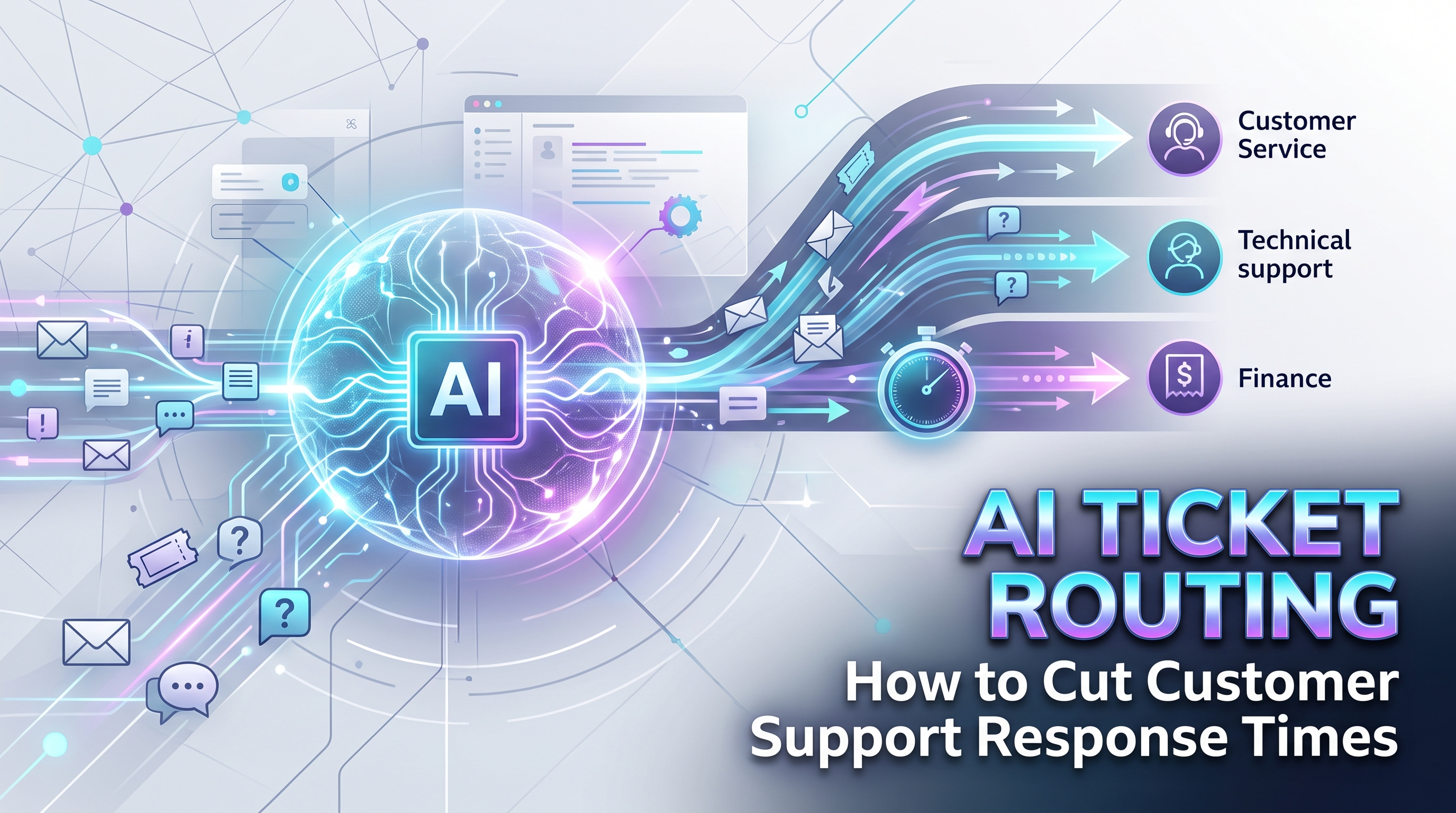
Support teams rarely suffer from a lack of effort. They suffer from a lack of triage. Tickets pile up in a shared queue, agents cherry-pick the easy ones, urgent issues wait behind trivial ones, and specialists waste hours on tickets meant for someone else. AI ticket routing attacks exactly this problem — automatically reading, classifying, prioritizing, and routing every ticket so the right person sees it first.
What AI Ticket Routing Actually Does
At its core, the system performs four jobs the moment a ticket arrives. It classifies the ticket by topic and intent — billing issue, technical bug, feature request, account question. It scores urgency by detecting signals like outage language, angry sentiment, or enterprise account status. It routes the ticket to the right team, skill group, or individual agent based on those classifications. And in mature setups, it drafts a suggested reply or pulls the relevant knowledge base article for the agent.
The result is not replacing agents but unblocking them. Instead of spending the first minutes of every ticket figuring out what it is and where it belongs, agents start from a ticket that is already categorized, prioritized, and sitting in the right queue.
How It Works Under the Hood
Intake normalization: tickets arrive from email, chat, forms, and phone transcripts. The system converts them into a standard format with the full conversation history attached.
Classification: a language model trained on your historical tickets assigns category, subcategory, and intent. Training on your own data matters enormously — generic models misclassify domain-specific issues.
Priority scoring: separate signals combine into an urgency score: sentiment analysis, keywords indicating outages or security issues, customer tier, and SLA deadlines. A furious enterprise customer reporting downtime outranks a free-tier feature request automatically.
Routing: rules map classifications to destinations — billing to finance support, API errors to the technical team, VIP accounts to senior agents. Load balancing prevents any single agent from drowning while others sit idle.
Agent assist: the agent sees the classification, suggested macros, and relevant help articles before typing a word. Resolution starts faster and stays more consistent.
Feedback loop: when agents correct a misclassification, that correction trains the next version. Accuracy compounds over time, which is why these systems get noticeably better after the first few months.
What You Need Before You Start
Three prerequisites determine success. First, ticket history — the more labeled historical tickets you have, the better the initial accuracy. A few thousand is a comfortable starting point; less than that and you should expect a longer learning period.
Second, defined categories. If your team cannot agree on what counts as urgent versus important, the AI cannot learn it either. Spend a workshop aligning on categories, priority definitions, and routing rules before any technical work begins.
Third, clean data. Tickets with empty subjects, missing customer records, and inconsistent tags produce unreliable training. A short data cleanup sprint pays for itself many times over in routing accuracy.
Measuring Success
Track five metrics from day one. First response time should fall as urgent tickets reach agents faster. Average resolution time improves when specialists get the right tickets immediately. Misroute rate — the percentage of tickets reassigned after routing — is your direct accuracy score; aim to drive it down month over month. Agent utilization evens out as load balancing works. And customer satisfaction should climb as the right expertise reaches each issue sooner.
Review the numbers monthly with the support lead, not just the tooling team. The goal is better customer outcomes, and the metrics should drive decisions about staffing, training, and which categories need better knowledge base coverage.
Set a baseline before launch. Without pre-launch numbers, you cannot prove the improvement — and you will want that proof when justifying the next automation investment.
Build, Buy, or Hire: Choosing Your Path
You have three routes to AI ticket routing, and the right one depends on your team. Native helpdesk AI: most major helpdesk platforms now ship built-in classification and suggested replies. This is the fastest path and often sufficient for straightforward queues — enable it, tune the categories, and measure. Dedicated routing platforms: specialized tools offer deeper customization, better analytics, and multi-channel coverage when native features fall short. Custom build: for unusual ticket types, multiple languages, or deep integration with internal systems, a tailored solution trained on your exact data wins on accuracy.
A pragmatic sequence works well: start with native features to prove the concept and collect clean labeled data, then graduate to a dedicated or custom solution once you know exactly what you need. The data you generate in phase one becomes the training fuel for phase two, so nothing is wasted.
Keeping Humans in the Loop
The safest deployments use confidence thresholds. High-confidence classifications route automatically; anything below the threshold goes to a human triager with the AI suggestion attached. Sensitive categories — legal threats, security incidents, VIP escalations — can be forced to human review regardless of confidence.
This design also builds trust. Agents who see the system asking for help on hard cases trust its judgment on easy ones. Full autonomy from day one invites skepticism; graduated autonomy earns confidence. Our intelligent ticket routing service implements exactly this pattern, tuned to your helpdesk, your categories, and your escalation rules.
Support queue growing faster than your team? Talk to OctaTechno on a free discovery call. We will analyze your ticket patterns, design a routing system around your actual categories, and show you the response-time improvement you can expect.