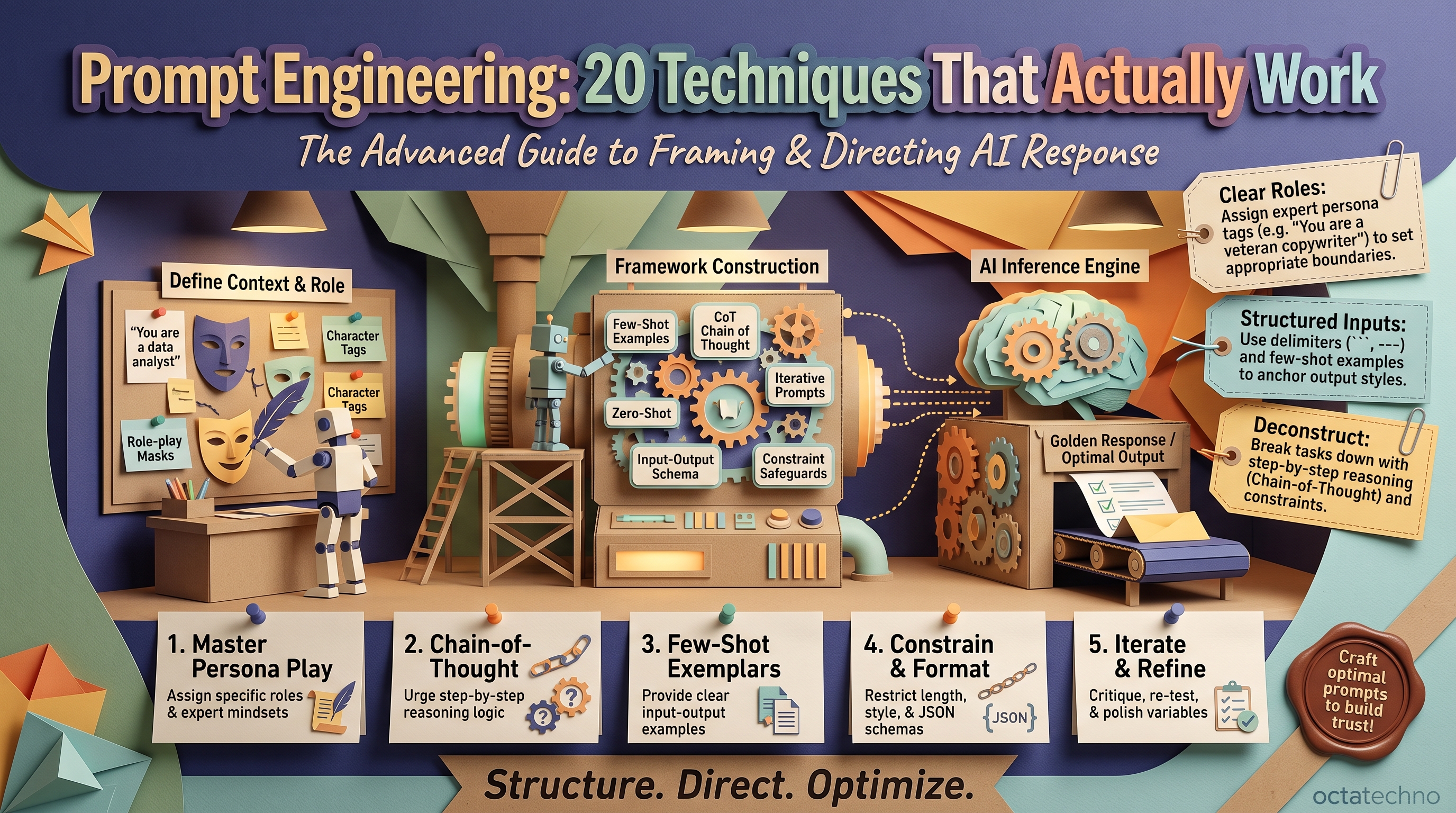
Why Prompting Is a Skill Worth Learning
The same AI model gives dramatically different results depending on how you ask. We've seen the difference between a vague prompt and a well-engineered one be literally 10× in output quality. These 20 techniques are the ones we actually use in client work — no theory, just what works.
Foundations (1–5)
1. Be specific about the output format. "Summarize this contract" is weak. "Summarize this contract in 5 bullet points: parties, term, payment terms, termination clause, key risks" is strong. Format specificity is the highest-ROI prompting habit.
2. Give the model a role. "Act as a senior financial analyst reviewing this budget" primes relevant knowledge and tone. Roles work best when they imply expertise standards, not just job titles.
3. Provide context, not just instructions. Tell the model who the audience is, what the output is for, and what constraints apply. A proposal draft for a technical buyer reads very differently from one for a CFO.
4. One task per prompt. "Summarize this, extract action items, draft the follow-up email, and analyze sentiment" produces mediocre everything. Chain single-task prompts instead — quality compounds.
5. Show, don't just tell (few-shot). Include 2–3 examples of input → desired output. Few-shot examples are the single most reliable way to get consistent formatting and style.
Structure and Control (6–10)
6. Use delimiters. Wrap inputs in triple quotes or XML tags like <document>...</document>. This prevents the model from confusing your instructions with the content it's processing.
7. Specify what to avoid. "Don't use jargon, don't exceed 200 words, don't mention competitors" — negative constraints are as powerful as positive ones.
8. Ask for structured output. Request JSON, tables, or markdown explicitly when the output feeds another system. "Return a JSON object with keys: name, date, amount, category" beats parsing prose.
9. Set the reasoning budget. "Think step by step before answering" (chain-of-thought) dramatically improves math, logic, and multi-step analysis. For simple tasks, skip it — it wastes tokens.
10. Decompose complex tasks. Break "analyze this market" into: extract key players → identify trends → assess threats → synthesize. Run each as its own prompt, feeding outputs forward.
Advanced Reasoning (11–15)
11. Self-critique loop. "Draft the email, then critique it as the recipient, then revise." Two extra passes catch tone problems and logical gaps remarkably well.
12. Generate multiple candidates. "Give me 5 headline options" then "pick the strongest and explain why." Models choose better than they generate in one shot.
13. Assign a skeptic. "Argue against this proposal — find every weakness." Deliberately adversarial prompts surface risks that agreeable defaults hide.
14. Work backwards. "The desired outcome is X. What steps get us there?" Reverse planning works brilliantly for project plans and troubleshooting.
15. Calibrate confidence. "Rate your confidence 1–10 and flag any assumptions." Forces the model to surface uncertainty instead of bluffing — critical for research tasks.
Reliability at Scale (16–20)
16. Build prompt templates. Turn working prompts into fill-in templates with [variables]. Consistency across your team beats individual brilliance.
17. Version your prompts. Save what works. When output quality drops after a model update, you need the old version to compare against — treat prompts like code.
18. Add validation steps. "Before finalizing, verify: does the output include all 4 required sections? Is every claim supported by the source?" Built-in checklists catch the most common failures.
19. Control temperature by task. Low temperature (0–0.3) for factual, deterministic work; higher (0.7–1.0) for brainstorming and creative writing. Most business tasks want low.
20. Know when to stop prompting. If you've iterated 5 times on a prompt and it's still not right, the problem is usually the approach, not the wording. Switch to RAG for knowledge gaps or agentic workflows for multi-step tasks — prompting has limits, and recognizing them is itself a skill.
Putting It All Together
You don't need all 20 techniques for every prompt. A strong default formula covers most business tasks: assign a role, give full context, specify the exact output format, include one or two examples, and add a validation step. That's techniques 2, 3, 1, 5, and 18 — five habits that will handle 80% of your prompting needs. Layer in the advanced techniques only when the stakes or complexity demand it.
The Five Prompt Patterns Behind Most Business Automations
Most prompts running inside real client systems reduce to five reusable patterns. Learn these and you can automate a surprising share of knowledge work — and when we build AI agents, these patterns are usually what's running under the hood.
1. The Classifier
Routes work without human triage — support tickets, invoices, job applications:
Classify the ticket below into exactly one category:
billing, technical, account_access, feature_request, other.
Return only the category name.

<ticket>{{ticket_text}}</ticket>
2. The Extractor
Pulls structured data from messy text — contracts, resumes, emails — into JSON your systems can consume:
Extract from the invoice below. Return JSON with keys:
vendor, invoice_number, date, total, line_items.
Numbers as plain numbers. Missing field -> null, never guess.

<invoice>{{ocr_text}}</invoice>
3. The Normalizer
Standardizes inconsistent inputs before they hit a database or CRM — job titles, addresses, company names:
Normalize this job title to one of: Engineer, Manager, Director,
Executive, Individual Contributor. Return only the label.

Title: "{{raw_title}}"
4. The Audience-Aware Summarizer
Same source, different readers — technique 3 (context) doing real work:
Summarize the meeting transcript for the CFO: 5 bullets max,
decisions and money only, no technical detail.
5. The Honest Answerer
The anti-hallucination pattern — mandatory for any customer-facing or RAG-based bot:
Answer using ONLY the sources below. If the answer isn't in the
sources, say "I don't have that information." Cite source numbers.

<sources>{{retrieved_chunks}}</sources>
Question: {{question}}
Structured Outputs That Actually Parse
Technique 8 says ask for JSON. In production, "ask" isn't enough — you need outputs that parse reliably on the first try, every time, across thousands of runs. Three upgrades that make the difference:
1. Use JSON mode or a schema when the API supports it. OpenAI, Anthropic, and Google all offer structured-output modes that guarantee valid JSON matching your schema. Free-text "please return JSON" fails roughly 2-5% of the time at scale; schema-constrained decoding fails at effectively 0%. At 10,000 runs a day, that's the difference between a working pipeline and a daily firefight.
2. Forbid markdown wrappers. Models love returning triple-backtick json fences. Your parser doesn't. Add "Return raw JSON with no code fences and no commentary" — or strip fences in code as a fallback. Belt and suspenders.
3. Design the schema for your consumer, not the model. Flat keys beat nested objects for spreadsheet and database ingestion. Enum fields ("status": one of active, paused, closed) beat free text for downstream logic. Every transformation you eliminate downstream is a bug you never have to debug.
When a pipeline consumes model output, treat the prompt's output contract like an API contract: versioned, tested with sample inputs, and validated on every run.
Common Mistakes We See in Client Prompts
After auditing hundreds of prompts across client projects, the same failures repeat:
- Outsourcing the thinking. "Analyze this report" with no context, no audience, no format. The model can't read your mind — it averages over all possible readings. Ten extra seconds specifying the job saves ten minutes of regeneration.
- Prompting around a knowledge gap. If the answer lives in your documents, no wording trick retrieves it. That's a RAG problem, not a prompting problem — recognize the category before iterating.
- Brittle over-specification. "Use exactly these 14 adjectives in this order" works until the model updates, then shatters. Specify outcomes and constraints; leave micro-decisions to the model.
- Skipping the parse test. A prompt that produces beautiful JSON in the playground but breaks on edge-case inputs in production was never finished. Test with the ugliest real input you have.
- Polishing wording instead of restructuring. Five iterations on adjectives while the real problem is missing context or the wrong pattern. If attempt three isn't converging, step back and change the approach.
Prompt Engineering FAQ
Do smarter models make prompt engineering obsolete?
It shifts, it doesn't disappear. Newer reasoning models need less hand-holding on logic, but output-format control, context quality, evaluation, and cost discipline (reasoning tokens are expensive) matter more than ever. The 20 techniques above compress into "good engineering" rather than vanishing.
Should we fine-tune instead of improving prompts?
Almost never as a first step. Fine-tuning changes behavior — tone, format, domain reasoning — it doesn't inject knowledge, and it costs more to build and maintain than better prompts plus retrieval. We break down the trade-offs in our fine-tuning vs RAG vs prompting guide.
How do you know a prompt change is actually an improvement?
Test it like code: a fixed set of 20-50 representative inputs with expected outputs, run before and after the change. "It looks better on two examples" is how regressions ship. Score format compliance, factual accuracy, and task completion separately.
What temperature should I use?
0-0.3 for anything factual, deterministic, or machine-consumed — extraction, classification, JSON. 0.7+ for brainstorming, marketing copy, and creative writing. When in doubt, start low: you can always add randomness, but you can't un-hallucinate a "creative" invoice total.
From Prompts to Pipelines
Individual good prompts are step one. The real leverage comes when proven prompts run automatically — inside n8n or Make workflows, triaging tickets, extracting invoice data, drafting first-pass reports while your team sleeps. A prompt becomes a system when it has version control, evaluation, monitoring, and a fallback for failures. That's the jump from "AI is helpful" to "AI does the job" — and it's where most of our client work lives.
Want these techniques built into your workflows? Contact OctaTechno — we implement AI systems where good prompting is engineered in, not left to chance.